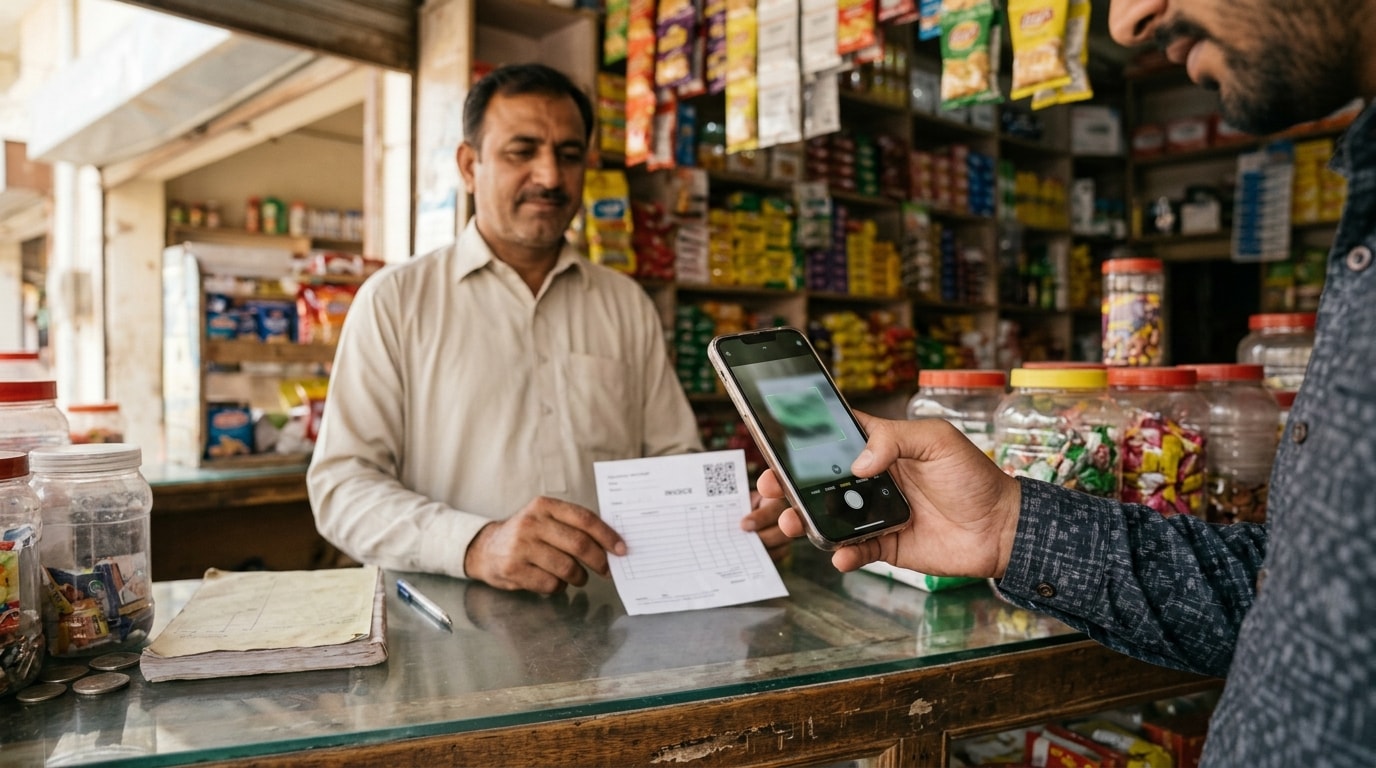
Doing great work is only half the job. Getting paid for it is what keeps your business moving.
For freelancers, retailers, service providers, and small businesses, the time between completing a sale and receiving payment can put pressure on cash flow. Operating expenses continue even when customers have not settled their invoices, and chasing payments takes valuable time away from running the business.
Learning how to send an invoice correctly helps reduce avoidable delays. A professional invoice tells customers what they owe, why they owe it, when payment is due, and how to pay. Combine accurate invoicing with convenient digital payment options, clear payment terms, and timely follow-ups, and you can make payment collection easier to manage.
This guide explains how to send an invoice, what to include, how to email an invoice professionally, which payment terms to choose, and how to get invoices paid faster. It also explains how Rupin supports business payment collection and financial record management.
What Is an Invoice and Why Does It Matter?
An invoice is a formal payment request for products delivered, services completed, or work performed under an agreement. It records the transaction, identifies the amount owed, and explains when and how the customer should pay.
An invoice differs from a receipt. An invoice requests payment, while a receipt generally confirms that payment has already been made.
For example, a freelance designer who completes a website project can send an invoice detailing the agreed project fee, work performed, payment due date, and accepted payment methods. The customer can review the charges, arrange payment, and refer to the invoice if questions arise.
Beyond requesting money, invoices help businesses manage accounts receivable, monitor outstanding balances, reconcile payments, and maintain accurate financial records. Without a consistent invoicing process, even a business with strong sales can struggle to understand how much money customers still owe.
What to Include in an Invoice
A professional invoice should answer the customer's most important questions without requiring additional emails or phone calls. Missing information can delay approvals, create billing disputes, and push payment further into the future.
Include these essential elements when preparing an invoice.
Tax requirements and mandatory invoice fields depend on the applicable jurisdiction and transaction.
Why Itemized Invoices Work Better
An invoice displaying only a total may leave customers wondering what the charge covers. An itemized invoice breaks the amount into individual products, services, quantities, and rates.
This makes it easier for customers to verify charges, identify discrepancies, and approve legitimate payments without unnecessary back and forth.
Use an Invoice Template for Consistency
An invoice template provides a reusable structure containing the essential billing information, payment terms, and payment instructions. You simply update the customer details and transaction information for each invoice.
An invoice generator or invoicing software can further simplify the process by helping calculate totals, organize invoice numbers, and prepare consistent billing documents.
How to Send an Invoice Step by Step
A reliable invoicing process ensures that every invoice is accurate, reaches the right person, and remains visible until payment is received.
1. Agree on the Terms Before Work Begins
Establish the price, scope of work, payment terms, and accepted payment methods before starting a project or delivering an order.
For larger projects, clarify whether payment will be collected upfront, at specific milestones, or after completion. A website development project, for example, might involve an initial deposit, a progress payment, and a final payment after delivery.
Documenting these arrangements helps prevent disagreements when the invoice arrives.
2. Confirm the Transaction Is Ready for Billing
Verify that the products have been delivered, services have been completed, or the agreed billing milestone has been reached.
Your invoice should match the original agreement. Document and obtain approval for any additional charges before including them.
3. Create an Accurate Invoice
Include the invoice number, issue date, customer details, itemized charges, applicable taxes, total amount due, payment terms, and payment instructions.
Check calculations and confirm that all required references are present. For corporate customers, missing purchase order numbers or incorrect submission procedures can delay an otherwise accurate invoice.
4. Choose the Right Delivery Method
Email provides a written record and works well for many businesses. However, follow a customer's designated billing portal requirements whenever applicable.
5. Make Payment Instructions Clear
Customers should not need to contact you to ask how to pay.
Depending on the transaction and available services, include bank transfer details, an IBAN, a QR code, a payment link, or another accepted method.
For businesses in Pakistan, digital payment options can offer convenient alternatives to manual payment arrangements. A payment link directs customers to an available payment service; a QR code can simplify initiating a supported digital payment; and an IBAN provides the information needed for a bank transfer.
Choose methods that suit your customers and verify that the instructions are accurate.
6. Send the Invoice Promptly
Issue the invoice as soon as the agreed billing conditions are met. Waiting until the end of the month to bill for completed work can unnecessarily delay payment.
For recurring services, follow the agreed billing schedule. For longer projects, issue invoices at the agreed milestones.
7. Record the Invoice and Track Its Status
Maintain a record of every invoice containing the customer name, invoice number, amount, issue date, due date, and payment status.
Distinguish between pending, upcoming, overdue, and paid invoices. This makes it easier to prioritize follow-ups and prevents outstanding balances from disappearing into email conversations or handwritten notes.
8. Follow Up Until Payment Is Received
Monitor each invoice until payment has been received and verified. Remind customers when deadlines approach, respond to questions, and follow up professionally when invoices become overdue.
Once payment arrives, reconcile it against the correct invoice and update your records.
How to Send an Invoice by Email
Email remains a practical way to send invoices, particularly when customers require formal billing documents.
To make your invoice email effective:
- Use a descriptive subject line containing the invoice number and business name.
- Attach the correct invoice as a PDF when appropriate.
- State the amount due and payment deadline.
- Include clear payment instructions or an available payment link.
- Send the email to the person responsible for processing payment.
- Invite the customer to raise questions about the charges.
- Keep a record of the email and subsequent communication.
Invoice Email Template
Subject: Invoice INV 0042 from [Business Name], PKR 45,000
Dear [Customer Name],
Thank you for working with us on [project or order name].
Please find attached invoice INV 0042 for PKR 45,000. Payment is due by [due date], in accordance with our agreed payment terms.
You can complete the payment using [payment link or accepted payment method]. Please include the invoice number in the payment reference where applicable.
If you have any questions about the charges or need additional information to process the invoice, please let us know.
Thank you for your business.
Kind regards,
[Your Name]
[Business Name]
[Contact Information]
Before sending, confirm that the amount, payment instructions, and due date match the actual transaction.
How to Send an Invoice Online
Digital invoicing platforms allow businesses to share invoices through online links. Depending on the platform, customers may be able to review billing details, access payment instructions, and complete payment through an available online payment option.
These platforms can reduce manual document preparation and may provide useful records of invoice delivery and payment status. Confirm that the selected platform supports the features your business needs.
When Should a Business Send an Invoice?
The best time to send an invoice depends on the transaction and agreed payment arrangement. In most cases, issue it as soon as the relevant billing conditions are met.
Transaction type
Recommended invoice timing
One-time product sale
At or immediately after delivery, according to the agreement
Short service job
When the job is completed
Long-term project
At agreed project milestones
Monthly service
On a consistent date each billing cycle
Retainer or subscription
In advance when required by the agreement
Wholesale or credit sale
According to the agreed credit and billing schedule
Consistent billing helps customers anticipate payment requests and plan their approval processes. Scheduled billing can prevent missed invoices, while milestone billing allows businesses to request payment for completed stages rather than waiting until an entire project is finished.
Best Payment Terms for Invoices
Invoice payment terms establish when a customer must pay and which conditions apply. Clear terms reduce uncertainty and help businesses plan incoming cash.
Choosing Between Net 15 and Net 30
Net 30 is common in many corporate arrangements, but it is not always the best choice for smaller businesses.
Freelancers and small businesses may prefer Net 15 or payment upon receipt when the customer agreement allows it. The right terms depend on cash flow requirements, transaction value, customer approval procedures, and the nature of the work.
Always state a specific payment due date so customers do not need to calculate the deadline themselves.
Should Businesses Offer Early Payment Discounts?
An early payment discount can encourage customers to settle invoices sooner. For example, a business might offer a two percent discount for payment within ten days, with the full amount due within thirty days.
Calculate whether the reduction is financially worthwhile before offering it.
Late payment charges may also be appropriate when permitted by the agreement and applicable law. Communicate these conditions clearly before work begins rather than introducing unexpected charges after an invoice becomes overdue.
How to Get Invoices Paid Faster
Faster payment collection requires more than sending invoices promptly. Businesses must remove payment obstacles, offer convenient methods, and maintain consistent follow-ups.
1. Offer Convenient Payment Methods
Suitable options such as bank transfers, QR payments, payment links, and other supported methods can make it easier for customers to settle outstanding balances.
Clearly communicate the available methods and ensure they meet the customer's needs.
2. Set Up Payment Reminders
Customers can overlook invoices or encounter administrative delays. Timely reminders bring payment requests back to their attention.
Adjust this schedule to the payment agreement, customer relationship, and circumstances. Formal agreements and applicable laws take precedence.
Where supported, automated reminders can reduce manual work and maintain a consistent collection process.
Use Recurring Invoices for Regular Customers
Businesses that bill customers regularly can benefit from recurring invoices. A consultant providing monthly services, for example, may issue an invoice on the same date every month.
Recurring billing reduces the risk of forgotten invoices and creates a more predictable payment routine. Confirm that your invoicing system supports this feature before relying on automation.
Maintain Organized Accounts Receivable Records
Accounts receivable represents money customers owe a business.
An organized invoice register should contain:
- Customer name and contact information.
- Invoice number and issue date.
- Amount due and payment deadline.
- Current payment status.
- Previous reminders and customer responses.
- Payment receipt and reconciliation details.
Review these records regularly to identify overdue invoices and prioritize collection activities.
Investigate Repeated Payment Delays
Repeated late payments may indicate a problem with the billing process rather than isolated oversights.
Customers may need purchase order information, follow slow approval procedures, or regularly question the same charges. Identify recurring problems and address them by improving invoice descriptions, clarifying payment terms, adjusting billing schedules, or agreeing on deposits for larger projects.
How to Follow Up on an Unpaid Invoice
Requesting payment for completed work is a normal part of business administration. The key is to remain professional, factual, and consistent.
Start with a polite reminder that identifies the invoice number, amount due, original due date, and payment instructions. If payment remains pending, ask when it is expected and whether additional information is required.
Overdue Invoice Reminder Template
Subject: Payment Reminder for Invoice INV 0042
Dear [Customer Name],
This is a friendly reminder that invoice INV 0042 for PKR [amount] was due on [due date] and remains outstanding in our records.
If the payment has already been made, thank you. Please disregard this reminder or share the payment reference so we can reconcile the transaction.
If payment is still pending, please let us know when it is expected. If any clarification or additional documentation is required, we would be happy to assist.
Thank you for your attention.
Kind regards,
[Your Name]
[Business Name]
What If the Customer Does Not Respond?
Check whether the invoice reached the correct person or requires additional documentation. A phone call may resolve an administrative delay faster than repeated emails.
If the customer raises a legitimate dispute, investigate it and provide supporting documentation. If the delay continues without resolution, follow the agreed escalation process and seek appropriate professional advice where necessary.
How Freelancers and Small Businesses Can Improve Invoicing
Different businesses face different billing challenges, but consistent invoicing and payment tracking benefit all of them.
Freelancers should document project agreements, use professional invoice templates, and bill promptly after approved milestones. Small businesses should record credit sales, review outstanding invoices weekly, and reconcile incoming payments against the correct transactions.
As transaction volumes increase, digital invoicing and payment tracking can reduce administrative work and make outstanding balances easier to monitor.
How to Measure Invoicing Performance
Businesses can use three useful metrics to understand whether their invoicing and payment collection processes are improving.
Average Days to Payment
This metric measures the average time taken to receive payment after invoices are issued.
Formula:
Average days to payment = Total days taken to receive payment across paid invoices ÷ Number of paid invoices
For example, if three invoices are paid after 10, 15, and 20 days, the average is 15 days.
A declining average may indicate faster collection, although businesses should compare similar reporting periods and account for differences in payment terms.
Percentage of Invoices Paid on Time
This metric shows how many invoices due during a period were paid by their deadlines.
Formula:
On-time payment rate = Number of invoices paid by their due dates ÷ Total invoices due during the period × 100
If 80 out of 100 invoices due during a period are paid on time, the on-time payment rate is 80 percent.
Tracking this figure helps businesses identify changes in customer payment behavior and evaluate their collection practices.
Days Sales Outstanding
Days sales outstanding, commonly known as DSO, estimates how long a business takes to collect its credit sales.
Formula:
DSO = Average accounts receivable ÷ Net credit sales during the period × Number of days in the period
For example, a business with average accounts receivable of PKR 300,000 and net credit sales of PKR 900,000 over a 30-day period has a DSO of 10 days, assuming consistent reporting definitions.
A lower DSO can indicate faster collection, but it should be interpreted alongside sales patterns, customer terms, and the business model.
Together, these metrics help businesses identify collection bottlenecks, monitor outstanding balances, and make informed decisions about invoicing practices.
How Rupin Helps Businesses Manage Invoices and Collect Payments
Sending an invoice is one part of the payment process. Businesses also need practical ways to receive money, track transactions, and manage outstanding balances.
Rupin, formerly known as Udhaar Book, is a business management app designed to support financial activities such as invoicing, payment collection, bookkeeping, sales, and expenses.
For businesses in Pakistan, Rupin supports digital payment collection through options such as QR payments and IBAN, alongside other supported payment services. Its business management features can help users maintain transaction records and monitor financial activities without relying entirely on scattered messages or handwritten notes.
Consider a small retailer who regularly sells products to customers on credit. Without organized records, the retailer may struggle to identify who has paid, which balances remain outstanding, and when follow-up is needed.
A business management app such as Rupin can help organize these records and support a more consistent approach to payment collection.
The distinction matters: creating and delivering an invoice establishes the payment request, while receiving and tracking money helps the business manage the resulting transaction. Both contribute to a clearer financial picture.
Make Business Payments Easier with Rupin
Every day an invoice remains unpaid can create additional pressure on cash flow. Accurate invoices, clear payment terms, convenient payment methods, and timely follow-ups help reduce avoidable delays.
Rupin can support the payment collection side of this process by helping businesses manage supported digital payment options and maintain organized transaction records.
Download the Rupin app to explore its business payment and management features, simplify everyday financial tasks, and spend less time managing scattered records and more time serving customers.

Frequently Asked Questions
1. What Is the Best Way to Send an Invoice?
Email with a PDF attachment works well for all businesses, while digital invoicing features can simplify invoice delivery and provide access to available payment options. Rupin can support the wider payment collection workflow through its business management and digital payment features.
2. What Should Be Included in an Invoice?
Include business and customer details, a unique invoice number, issue date, due date, itemized charges, applicable taxes, total amount due, payment terms, and payment instructions. Additional references may be required depending on the transaction.
3. When Should a Business Send an Invoice?
Issue an invoice as soon as the agreed billing conditions are met. Recurring services may follow scheduled billing dates, while longer projects may use milestone arrangements.
4. What Does Net 30 Mean on an Invoice?
Net 30 generally means payment is due within thirty days of the applicable invoice date, subject to the agreed terms. Net 15 provides a shorter payment period.
5. How Can a Business Get Invoices Paid Faster?
Send accurate invoices promptly, agree on clear payment terms, provide convenient payment methods, track outstanding balances, and follow up consistently. Rupin supports digital payment collection and business record management.
6. How Should a Business Follow Up on an Unpaid Invoice?
Reference the invoice number, amount due, and original due date. Ask whether payment has been made or whether additional information is required. If the invoice remains unpaid, follow up professionally and investigate legitimate disputes.
7. Can a Small Business Manage Payments and Records From a Phone?
A suitable business management app can help owners manage supported invoicing, payment collection, and record-keeping tasks from a mobile device. Rupin provides business management features that help users organize financial activities and access supported digital payment options through the app.